What You'll Learn
Course Benefits
Industry Certification
Internationally recognized qualification
Expert Instructors
Learn from industry professionals
Dedicated Support
Assistance during and after training
Practical Skills
Apply knowledge immediately
Course Overview
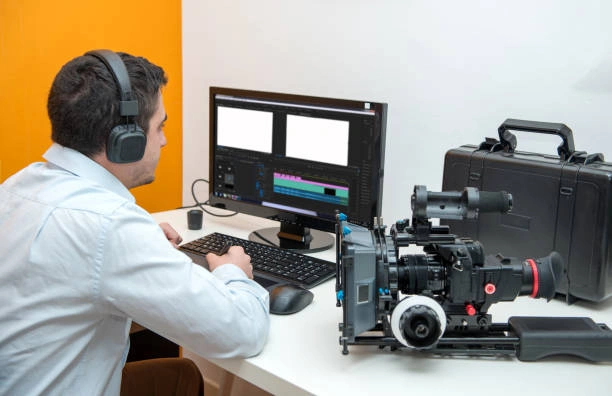
FeaturedThis intensive 5-day training course is designed to equip media personnel with modern, industry-relevant video editing skills. The course covers the full workflow, from planning and organizing footage to advanced editing, sound design, motion graphics, color grading, and exporting for different platforms. Participants will learn to produce professional-quality video content tailored for broadcast, digital platforms, and organizational communication needs.
Through hands-on practical sessions, real-world case studies, and guided exercises, learners will gain confidence in delivering compelling visual stories using leading editing software.
Duration
5 Days
Who Should Attend
- Media personnel in broadcast, digital, and corporate media departments
- Journalists and news editors
- Communication and PR officers responsible for video content
- Marketing and social media content creators
- Anyone involved in producing or editing video content for organizational use
Course Impact
Organizational Impact
- Enhanced quality of organizational videos for marketing, PR, social media, and internal communication
- Improved turnaround time for content production
- Strengthened brand image through high-quality visual storytelling
- Increased capacity for in-house production, reducing outsourcing costs
- Better engagement with audiences across digital platforms
Personal Impact
- Confidence in editing and producing professional videos
- Practical experience with industry-leading editing tools
- Improved creativity and visual storytelling skills
- Ability to troubleshoot editing challenges
- A stronger portfolio for career advancement in the media field
Course Objectives
By the end of the course, participants will be able to:
- Understand the fundamentals of video editing workflows and tools
- Edit videos using professional software such as Adobe Premiere Pro, DaVinci Resolve, or Final Cut Pro
- Apply storytelling techniques to enhance message delivery
- Incorporate sound design, transitions, motion graphics, and subtitles
- Perform color correction and color grading for visual consistency
- Produce videos optimized for TV broadcast, social media, and corporate presentations
- Manage media assets efficiently and collaborate in a production environment
Course Outline
Module 1: Introduction to Video Editing & Workflow Essentials
- Understanding the video production ecosystem
- Roles of media personnel in the editing process
- Types of video content: news, documentaries, corporate videos, social media
- Editing workflow: pre-production → production → post-production
- Introduction to editing software interfaces (Premiere Pro, FCPX, DaVinci Resolve)
- File formats, resolutions, frame rates, and codecs
- Media management: importing, organizing, and backing up footage
Practical Session
- Setting up a new project
- Importing and organizing raw footage
- Creating bins, sequences, and timelines
Case Study
- Comparing workflows of a newsroom vs. a corporate communications department
Module 2: Fundamentals of Editing & Storytelling
- The principles of visual storytelling
- Cutting techniques: L-cuts, J-cuts, match cuts, jump cuts
- Working with timelines and multiple layers
- Adding transitions and using them professionally
- Maintaining continuity and pacing
- Using B-roll effectively
- Adding text and lower thirds
Practical Session
- Editing an interview segment
- Adding B-roll and text graphics
- Creating smooth transitions
Case Study
- Editing a short news story for TV vs. a social media reel
Module 3: Sound Design, Voiceovers & Music Integration
- Audio editing basics: levels, keyframes, and audio tracks
- Removing noise and enhancing clarity
- Working with multicam audio
- Syncing audio and video
- Adding background music legally (copyright considerations)
- Voiceover recording techniques
- Sound effects and ambience
Practical Session
- Cleaning audio for an interview
- Recording and syncing a voiceover
- Mixing background music and effects
Case Study
- Poor vs. high-quality audio in broadcast and digital storytelling
Module 4: Motion Graphics, Titles & Color Grading
- Introduction to motion graphics (using Adobe After Effects or built-in tools)
- Creating title animations and lower thirds
- Adding subtitles and captions
- Color theory basics
- Color correction vs. color grading
- Applying LUTs and custom color looks
- Matching color across different cameras
Practical Session
- Creating a branded title animation
- Applying color correction to uneven footage
- Color grading for cinematic and broadcast looks
Case Study
- Brand consistency in corporate videos using color and graphics
Module 5: Final Output, Publishing & Real-World Project
- Export settings for TV broadcast, YouTube, Instagram, Facebook, TikTok
- Video compression techniques
- Quality control (QC) checks
- Archiving and sharing edited projects
- Collaborative workflows: editors, producers, and reviewers
Practical Session
- Complete final project: Participants edit a full 2–3 minute video combining everything learned (editing, audio, color, motion graphics)
- Export and present final video
Case Study
- Analyzing successful video campaigns and how editing played a role
Prerequisites
Course Administration Details
Customized Training
This training can be tailored to your institution needs and delivered at a location of your choice upon request.
Requirements
Participants need to be proficient in English.
Training Fee
The fee covers tuition, training materials, refreshments, lunch, and study visits. Participants are responsible for their own travel, visa, insurance, and personal expenses.
Certification
Upon successful completion of this course, participants will be issued with a certificate from Ideal Workplace Solutions certified by the National Industrial Training Authority (NITA) under License NO: NITA/TRN/2734.
Accommodation
Accommodation can be arranged upon request. Contact via email for reservations.
Payment
Payment should be made before the training starts, with proof of payment sent to outreach@idealworkplacesolutions.org.
For further inquiries, please contact us on details below:
Email: outreach@idealworkplacesolutions.org
Mobile: +254759708394
Register for the Course
Select a date and location that works for you.
In-Person Training Schedules
January 2026
| Date | Days | Venue | Fee (VAT Incl.) | Register |
|---|---|---|---|---|
| 5 Jan - 16 Jan 2026 | 10 days | Nairobi, Kenya | KES 198,000 | USD 2,800 | Enroll Now |
| 5 Jan - 16 Jan 2026 | 10 days | Cape Town, South Africa | USD 7,500 | Enroll Now |
| 5 Jan - 16 Jan 2026 | 10 days | Zanzibar, Tanzania | USD 4,400 | Enroll Now |
| 12 Jan - 23 Jan 2026 | 10 days | Mombasa, Kenya | KES 230,000 | USD 3,000 | Enroll Now |
| 12 Jan - 23 Jan 2026 | 10 days | Kigali, Rwanda | USD 3,800 | Enroll Now |
| 12 Jan - 23 Jan 2026 | 10 days | Accra, Ghana | USD 7,200 | Enroll Now |
| 12 Jan - 23 Jan 2026 | 10 days | Kampala, Uganda | USD 3,800 | Enroll Now |
| 19 Jan - 30 Jan 2026 | 10 days | Dar es Salaam, Tanzania | USD 4,300 | Enroll Now |
| 19 Jan - 30 Jan 2026 | 10 days | Johannesburg, South Africa | USD 6,500 | Enroll Now |
| 19 Jan - 30 Jan 2026 | 10 days | Nakuru, Kenya | KES 210,000 | USD 2,800 | Enroll Now |
| 19 Jan - 30 Jan 2026 | 10 days | Dakar, Senegal | USD 6,000 | Enroll Now |
| 26 Jan - 6 Feb 2026 | 10 days | Pretoria, South Africa | USD 6,300 | Enroll Now |
| 26 Jan - 6 Feb 2026 | 10 days | Kisumu, Kenya | KES 210,000 | USD 3,000 | Enroll Now |
| 26 Jan - 6 Feb 2026 | 10 days | Naivasha, Kenya | KES 210,000 | USD 2,800 | Enroll Now |
| 26 Jan - 6 Feb 2026 | 10 days | Arusha, Tanzania | USD 4,300 | Enroll Now |
USD 3,000
USD 2,800
Request Custom Training
We offer customized training solutions tailored to your organization's specific needs:
- Training at your preferred location
- Customized content to address your specific challenges
- Flexible scheduling to accommodate your team
- Cost-effective solution for training multiple employees
Early-bird Offer
Special pricing ends in:
Recent Activity
Additional Options
Customize your training experienceFrequently Asked Questions
Find answers to common questions about this course
You May Also Be Interested In
Explore more courses in this category
 Intermediate
Training on Media for Executives
Learn media strategies for executives to lead with confidence, handle press inte...
 Intermediate
Training on Diplomatic Communication and Travel Risk Management
Learn to communicate effectively in diplomatic settings while managing travel ri...
 Intermediate
Training on Podcasting & Audio Storytelling for Brands
Learn podcasting & audio storytelling. Plan, record, edit & promote brand podcas...
 Intermediate
Training on Generative AI (GenAI) for PR Specialists
Master Generative AI tools for public relations to streamline campaigns, create...
Intermediate
Training on Media for Executives
Learn media strategies for executives to lead with confidence, handle press inte...
Intermediate
Training on Diplomatic Communication and Travel Risk Management
Learn to communicate effectively in diplomatic settings while managing travel ri...
Intermediate
Training on Podcasting & Audio Storytelling for Brands
Learn podcasting & audio storytelling. Plan, record, edit & promote brand podcas...
Intermediate
Training on Generative AI (GenAI) for PR Specialists
Master Generative AI tools for public relations to streamline campaigns, create...
Training on Video Editing for Media Personnel
Next class starts 5 Jan 2026

Subscribe to our Weekly Newsletter!
Get updates on the latest posts and more from Ideal Workplace Solutions straight to your inbox.
About Us

Take your career to the next level with our industry-leading training programs. Designed to build skills, boost confidence and drive success, we empower professionals like you to excel in your current role or explore new opportunities.
Quick Links