What You'll Learn
Course Benefits
Industry Certification
Internationally recognized qualification
Expert Instructors
Learn from industry professionals
Dedicated Support
Assistance during and after training
Practical Skills
Apply knowledge immediately

Course Overview
FeaturedThis comprehensive course provides participants with hands-on expertise in ArchiCAD, a leading Building Information Modeling (BIM) software for architects, engineers, and design professionals. The course focuses on enhancing efficiency in digital design, documentation, and collaboration across the building lifecycle. Participants will learn how to create intelligent 3D models, generate accurate documentation, and streamline project coordination using ArchiCAD’s integrated tools and workflows.
Duration
10 Days
Who Should Attend
-
Architects and architectural technologists
-
Architecture students and interns
-
Interior designers and landscape architects
-
BIM managers and coordinators
-
CAD technicians transitioning to BIM platforms
Course Impact
Personal Impact
-
Gain confidence in creating and managing architectural BIM models
-
Learn to automate documentation, quantities, and 3D visualizations
-
Enhance your design and presentation capabilities
-
Build a strong portfolio using ArchiCAD
Organizational Impact
-
Strengthen internal design and BIM workflows
-
Reduce errors and design clashes with model-based coordination
-
Improve productivity and standardization in documentation
-
Enhance collaborative project delivery
Course Objectives
By the end of the course, participants will be able to:
-
Navigate and use the ArchiCAD interface and tools effectively
-
Create detailed architectural BIM models
-
Generate construction drawings and documentation sets
-
Collaborate using Teamwork and BIMcloud
-
Create schedules, visualizations, and quantity take-offs
Course Outline
Module 1: Introduction to ArchiCAD and BIM Concepts
-
Understanding BIM and ArchiCAD’s role
-
Interface overview: Navigator, Toolbox, Info Box, Palettes
-
Project setup, templates, and file management
-
Keyboard shortcuts and workspace customization
- Hands-On: Set up a basic project and explore the UI
Module 2: Site and Story Setup
-
Working with stories and levels
-
Creating a building site using the Mesh Tool
-
Adding topography and site elements
-
Setting up project location and orientation
- Hands-On: Model terrain and define building stories
Module 3: Walls, Columns, and Structural Elements
-
Wall tool, wall types, and composites
-
Placing and editing columns and beams
-
Layer combinations and structural layers
-
Wall priorities and junction handling
- Hands-On: Create and modify structural layout of a building
Module 4: Doors, Windows, and Openings
-
Using the Object Tool to place doors and windows
-
Editing parameters and custom settings
-
Scheduling openings
-
Creating custom openings and niches
Hands-On: Add and schedule all openings in a floor plan
Module 5: Slabs, Roofs, and Stairs
-
Creating slabs and controlling thickness/edges
-
Roof Tool: single-plane, multi-plane roofs
-
Complex roof modeling and intersection handling
-
Stair and Railing Tool: designing with rules and automation
- Hands-On: Model slabs and roofs for a multi-story building
Module 6: Annotation and 2D Documentation
-
Adding dimensions, text, and labels
-
Creating and editing markers, sections, and elevations
-
Drawing details and using the Detail Tool
-
Managing views, layouts, and publisher sets
- Hands-On: Document a floor plan with section markers and dimensions
Module 7: Zones, Schedules, and Quantities
-
Zone tool and room labeling
-
Creating quantity take-offs and material schedules
-
Customizing fields and exporting schedules
-
Linking BIM model data to project documentation
- Hands-On: Generate room schedule and material quantities
Module 8: Visualization and Rendering
-
Using 3D views and perspectives
-
Applying materials and surface editing
-
Lighting, shadows, and sun studies
-
Rendering with Cinerender (built-in) or Twinmotion link
- Hands-On: Produce 3D renderings and walkthroughs of a project
Module 9: Collaboration and Teamwork
-
Introduction to Teamwork and BIMcloud
-
Sharing projects across teams
-
Managing changes, versions, and user roles
-
IFC export/import and Open BIM workflows
- Hands-On: Collaborate on a model using Teamwork or simulate file exchange
Module 10: Final Project and Presentation
-
Students complete a full project model with plans, sections, schedules, and visuals
-
Best practices for modeling, annotation, and presentation
-
Peer feedback and trainer review
-
Certification and course wrap-up
- Deliverable: Final BIM model and printed documentation set
Prerequisites
Course Administration Details
Customized Training
This training can be tailored to your institution needs and delivered at a location of your choice upon request.
Requirements
Participants need to be proficient in English.
Training Fee
The fee covers tuition, training materials, refreshments, lunch, and study visits. Participants are responsible for their own travel, visa, insurance, and personal expenses.
Certification
Upon successful completion of this course, participants will be issued with a certificate from Ideal Workplace Solutions certified by the National Industrial Training Authority (NITA) under License NO: NITA/TRN/2734.
Accommodation
Accommodation can be arranged upon request. Contact via email for reservations.
Payment
Payment should be made before the training starts, with proof of payment sent to outreach@idealworkplacesolutions.org.
For further inquiries, please contact us on details below:
Email: outreach@idealworkplacesolutions.org
Mobile: +254759708394
Register for the Course
Select a date and location that works for you.
In-Person Training Schedules
January 2026
| Date | Days | Venue | Fee (VAT Incl.) | Register |
|---|---|---|---|---|
| 5 Jan - 16 Jan 2026 | 10 days | Nairobi, Kenya | KES 198,000 | USD 2,800 | Enroll Now |
| 5 Jan - 16 Jan 2026 | 10 days | Cape Town, South Africa | USD 7,500 | Enroll Now |
| 5 Jan - 16 Jan 2026 | 10 days | Zanzibar, Tanzania | USD 4,400 | Enroll Now |
| 12 Jan - 23 Jan 2026 | 10 days | Mombasa, Kenya | KES 230,000 | USD 3,000 | Enroll Now |
| 12 Jan - 23 Jan 2026 | 10 days | Kigali, Rwanda | USD 3,800 | Enroll Now |
| 12 Jan - 23 Jan 2026 | 10 days | Accra, Ghana | USD 7,200 | Enroll Now |
| 12 Jan - 23 Jan 2026 | 10 days | Kampala, Uganda | USD 3,800 | Enroll Now |
| 19 Jan - 30 Jan 2026 | 10 days | Dar es Salaam, Tanzania | USD 4,300 | Enroll Now |
| 19 Jan - 30 Jan 2026 | 10 days | Johannesburg, South Africa | USD 6,500 | Enroll Now |
| 19 Jan - 30 Jan 2026 | 10 days | Nakuru, Kenya | KES 210,000 | USD 2,800 | Enroll Now |
| 19 Jan - 30 Jan 2026 | 10 days | Dakar, Senegal | USD 6,000 | Enroll Now |
| 26 Jan - 6 Feb 2026 | 10 days | Pretoria, South Africa | USD 6,300 | Enroll Now |
| 26 Jan - 6 Feb 2026 | 10 days | Kisumu, Kenya | KES 210,000 | USD 3,000 | Enroll Now |
| 26 Jan - 6 Feb 2026 | 10 days | Naivasha, Kenya | KES 210,000 | USD 2,800 | Enroll Now |
| 26 Jan - 6 Feb 2026 | 10 days | Arusha, Tanzania | USD 4,300 | Enroll Now |
USD 3,000
USD 2,800
Request Custom Training
We offer customized training solutions tailored to your organization's specific needs:
- Training at your preferred location
- Customized content to address your specific challenges
- Flexible scheduling to accommodate your team
- Cost-effective solution for training multiple employees
Early-bird Offer
Special pricing ends in:
Recent Activity
Additional Options
Customize your training experienceFrequently Asked Questions
Find answers to common questions about this course
You May Also Be Interested In
Explore more courses in this category
 Intermediate
Training on BIM for Infrastructure Projects (Civil 3D & Infraworks)
Master BIM for infrastructure using Civil 3D and Infraworks. Model roads, bridge...
 Advanced
Training on Advanced Structural Design with STAAD Pro
Understand structural engineering. This training gives you the fundamentals to u...
 Intermediate
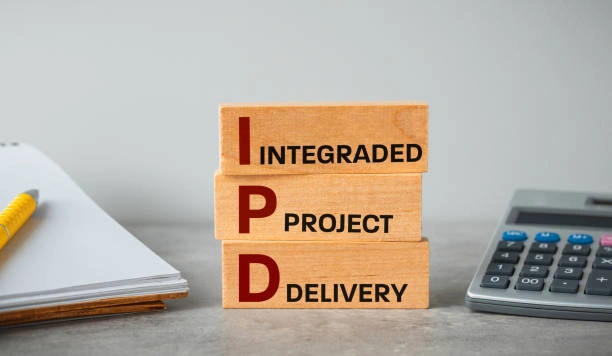
Training on Integrated Project Delivery (IPD) with BIM
Learn to implement Integrated Project Delivery (IPD) with BIM for streamlined co...
 Intermediate
Training on Construction Scheduling and Planning
Learn to develop effective project schedules, allocate resources efficiently, an...
Intermediate
Training on BIM for Infrastructure Projects (Civil 3D & Infraworks)
Master BIM for infrastructure using Civil 3D and Infraworks. Model roads, bridge...
Advanced
Training on Advanced Structural Design with STAAD Pro
Understand structural engineering. This training gives you the fundamentals to u...
Intermediate
Training on Integrated Project Delivery (IPD) with BIM
Learn to implement Integrated Project Delivery (IPD) with BIM for streamlined co...
Intermediate
Training on Construction Scheduling and Planning
Learn to develop effective project schedules, allocate resources efficiently, an...
Training on ArchiCAD Software
Next class starts 5 Jan 2026

Subscribe to our Weekly Newsletter!
Get updates on the latest posts and more from Ideal Workplace Solutions straight to your inbox.
About Us

Take your career to the next level with our industry-leading training programs. Designed to build skills, boost confidence and drive success, we empower professionals like you to excel in your current role or explore new opportunities.
Quick Links